For those folllowing along, I'd been working mostly on operations tech in Shoffr for the last few months. But as most of it went into ground implementation and monitoring phases, I took a little side quest to build an MCP server for agents to be able to book a Shoffr and manage the ride. This is now live and was so much fun and out of my usual zone of familiarity that I am compelled to write on the Shoffr blog after years.
I offered the project completely open ended to Fable 5 with just the core spec - build an MCP server to allow people to deputize their agents to make bookings for themselves with the ability to reschedule and cancel also via the agent. As usual, it came back with an overblown plan with all kinds of bells and whistles which I didn't cvare for in an MVP. After a lot of negotiation and over ruling and "move this to phase 2", the core architecture I settled on was to build a new spring boot service to encapsulate the "agentic" complexity which will then interact with the core service stack over REST APIs to achieve the end to end functionality.
Let's see it in action first. I've tested this primarily with Claude, but I imagine similar things should happen with other tools as well.
- Go to Settings -> Connectors -> Add custom connector.
- Name the connector "Shoffr" (or whatever, doesn't matter) and configure the MCP URL - https://mcp.shoffr.in/mcp. Click Add.
- You should see this. Click on Connect.
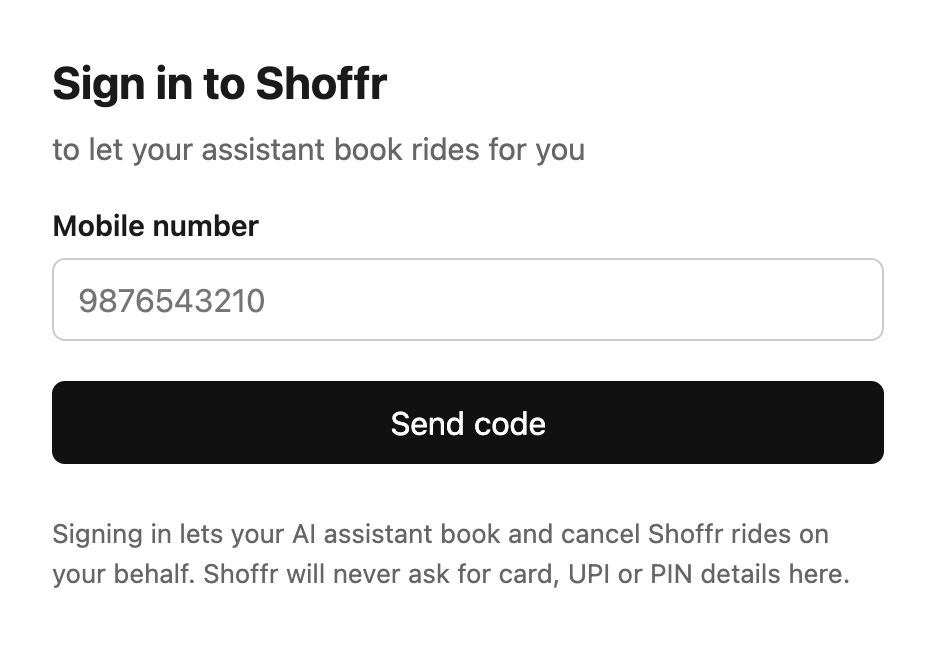
- This will take you to the Shoffr MCP auth page. Enter your phone number (with country code) to receive OTP.
- Enter the OTP if signing in, enter your name as well if signing up.
- Provide consent for using the OAuth scopes.
- Done! Now you can configure tool permmissions to control how much agency you want to give your agent.
For my fellow CLI-ers:
- To add Shoffr MCP server to claude, run:claude mcp add --transport http --scope user shoffr https://mcp.shoffr.in/mcp
- Now run: claude
- Then signin: /mcp - this will give a list of installed MCP servers. Select shoffr and follow along with the instructions.
All set up. Now booking a Shoffr is as simple as saying "book a city ride for me from Shoffr HQ to the HSR club for tomorrow 6pm". The agent will load the Shoffr tools, get a quote for you, make a booking pending payment, and fetch you a payment link. Once you make the payment, the ride is confirmed and all is well.
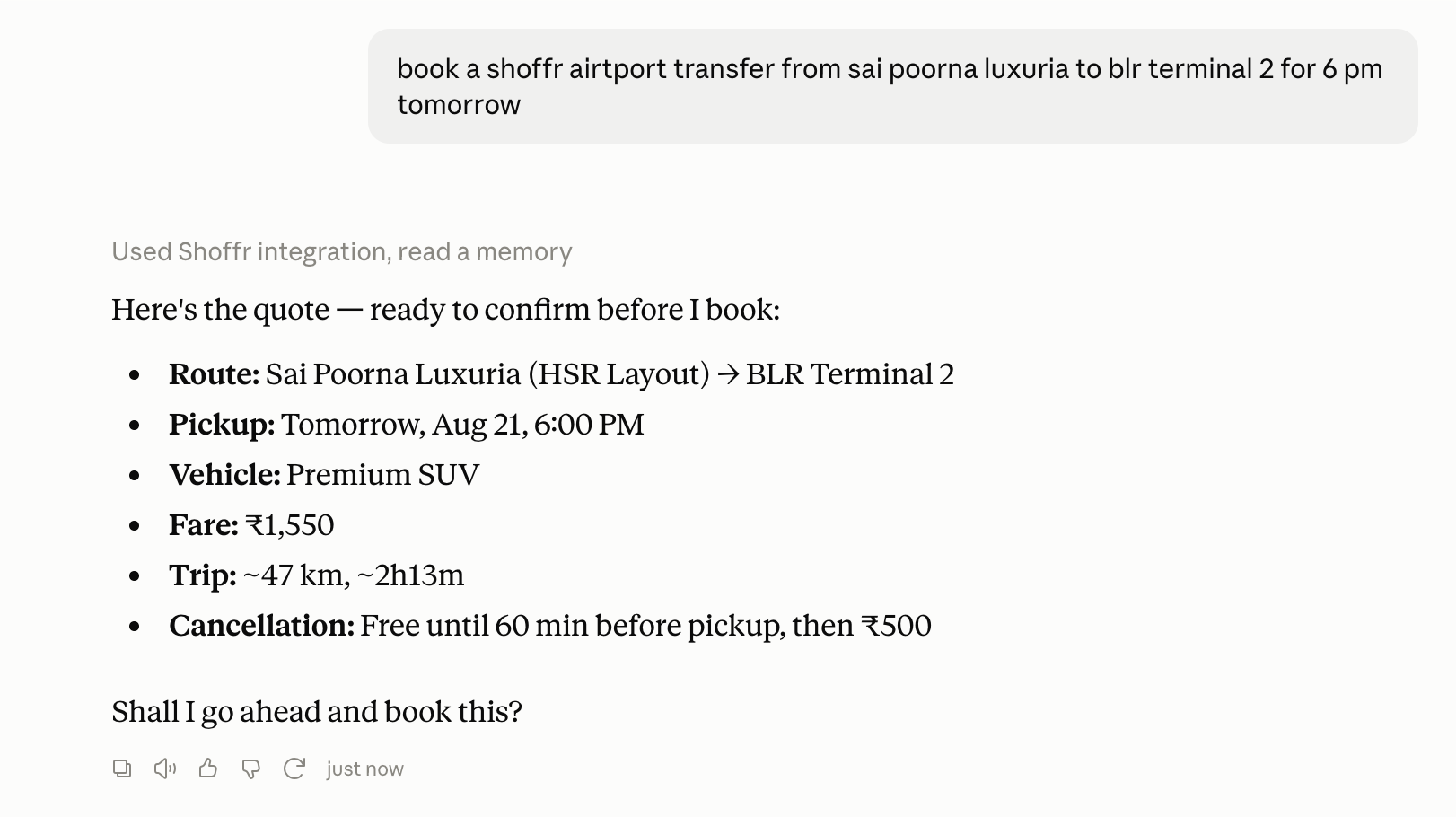
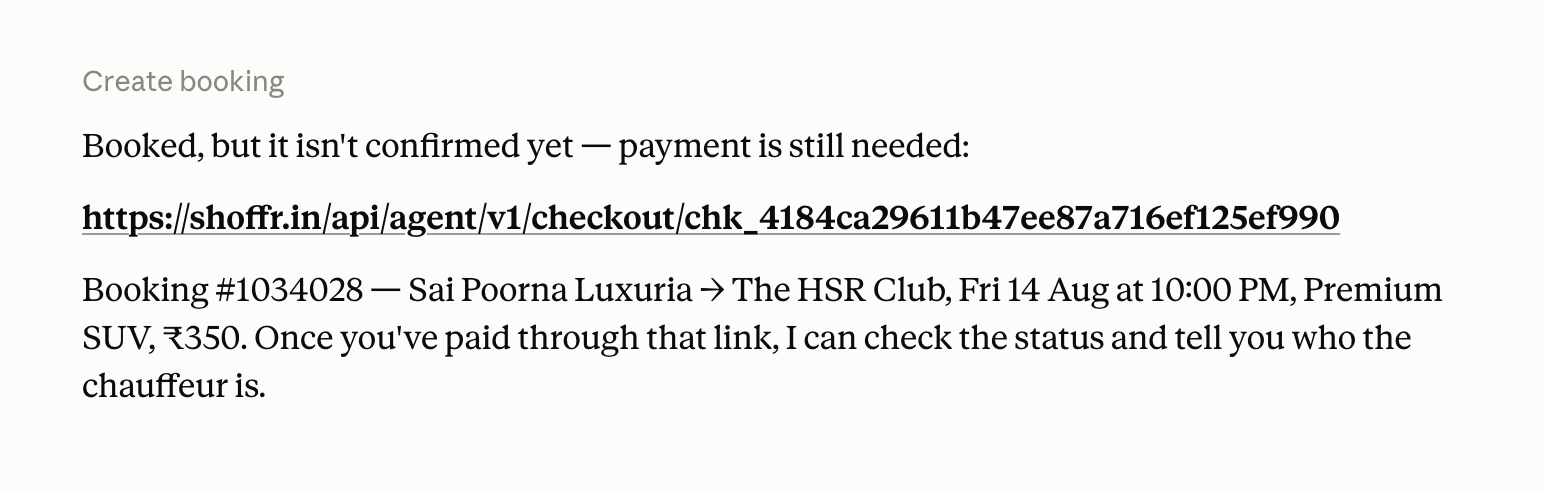
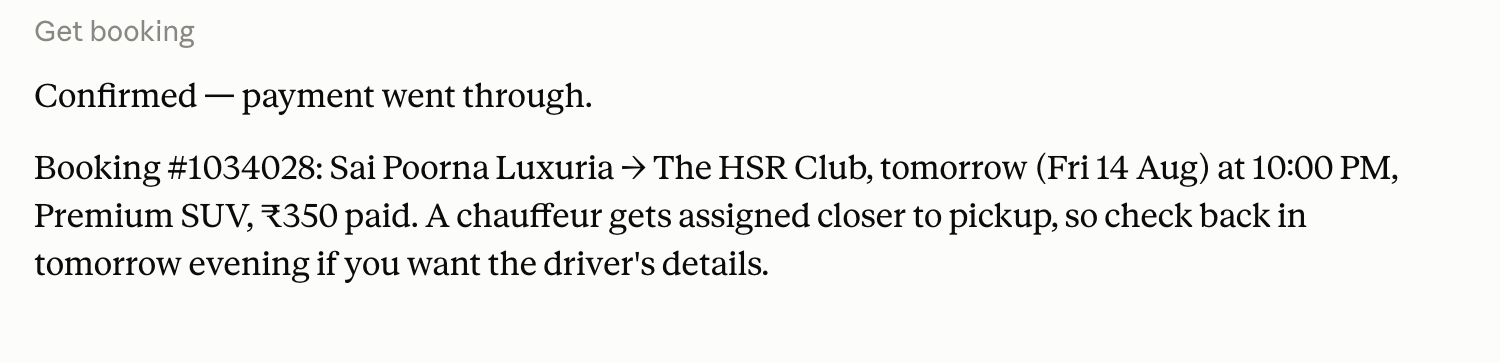
The manual payment part is the one that really bugs me. Solutions around UPI auto-debit, limited mandate etc are upcoming and that is the direction we are looking to push towards. For now, this MVP just wraps the core functionality and makes it agentically accessible.
Engineering the MCP Server
The two main things to build were auth and, interestingly enough, geocoding!
Auth
In Shoffr we use token auth everywhere but the agentically preferred way is OAuth. I didn't want to complicate the core mechanisms for what is just an MVP for now. So how to bridge the gap? We added the OTP mechanism as a provider for the OAuth layer. The agent triggers the OAuth flow which internally takes it to a place where it can enter the guest's phone number, the guest uses the OTP to signin, and the MCP service then traslates this to a valid OAuth response. While this is not ideal, it triggers rarely (once on signup, and then when token expires in many months).
The MCP service maintains the client list, authorization, consent, signing keys etc in a separate store so that all the OAuth complexity is abstracted away from the core services. In the core service, we introduced a few new endpoint and agent specific workflows which are completely isolated from the rest of the code and serve primarily as a translation layer between the edge of the stack and the internal core modules.
Geocoding
The trip booking experience everywhere on Shoffr is driven by Google autocomplete. With agents, though, it has to be a lot more NLP friendly. Guests can ask their agent to book a drop to the airport from their home (their agent presumably knows this - HSR Layout, Salarpuria Cadenza, etc) to terminal 2. We now have to figure out the exact map locations from these ambiguous descriptions. What happens if there are two apartments with same name in different cities ()
So the MCP server exposes a geocoding capability to discover service areas and resolve location using which the agent can disambiguate what it wants. Obviously, the greater context the agent has, the faster and easier this becomes. The geocoding ability is built as part of our core geo platform and gets exposed to the agents via specific API calls.
Call it oversight on my part, but building geocoding was not top of mind when I thought about this. but, we added a core platform ability cleanly in the process of building a business thing - always the best way to do it.
So there's that. A fun little side project that took about 2 days and opened up an interesting booking stream for the future. I will be pushing on the payments and deeper integrations (add pets, tolls etc - basically everything you can do as a human should be possible for the agent) over the next some weeks.

Member discussion: